Menu
☰
Products
⌄
GOF ECO
GOF AI
GOF Debug
GOF LEC
GOF Formal
Solutions
⌄
RTL-guided ECO
Post-layout & metal-only ECO
DFT-aware ECO
AI agentic workflow
GOF vs. Conformal
Resources
⌄
User manual
Script API reference
Command reference
Use cases
Video demos
Download GOF
Request a license
AI technical assistant
Company
⌄
About NanDigits
Contact us
Customer perspectives
Release history
中文首页
Request an evaluation
↗
Go back to
GofViewer Top
Search Function
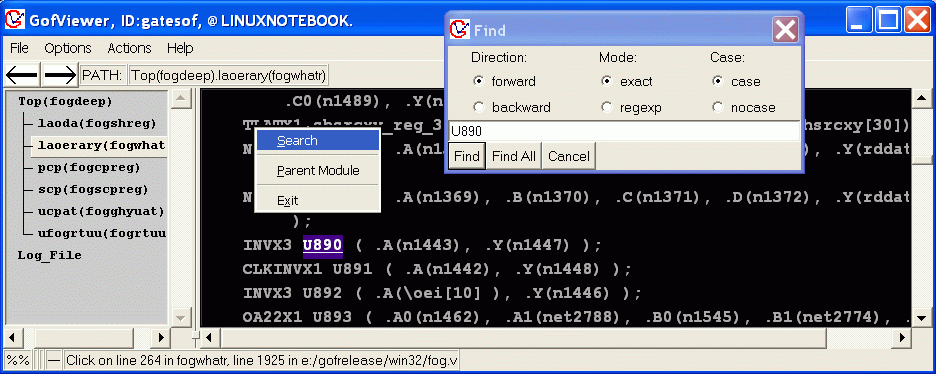
Press Ctrl-s to activate emacs style search.
Mouse-right-click on netlist window to pop up menu, select Search Item, a 'Find' window appears, type in the string you need to search, and click Find button.